
1- Make a detailed examination for the installation information you need to do when your robot is first turned on. (See for installation information.)
Turn on your robot by pressing the on-off button; Then connect to a network with internet with the setup application on the front screen.
Attention: Communication will not be possible with modems that only connect to the network. It is mandatory to use a network with the Internet.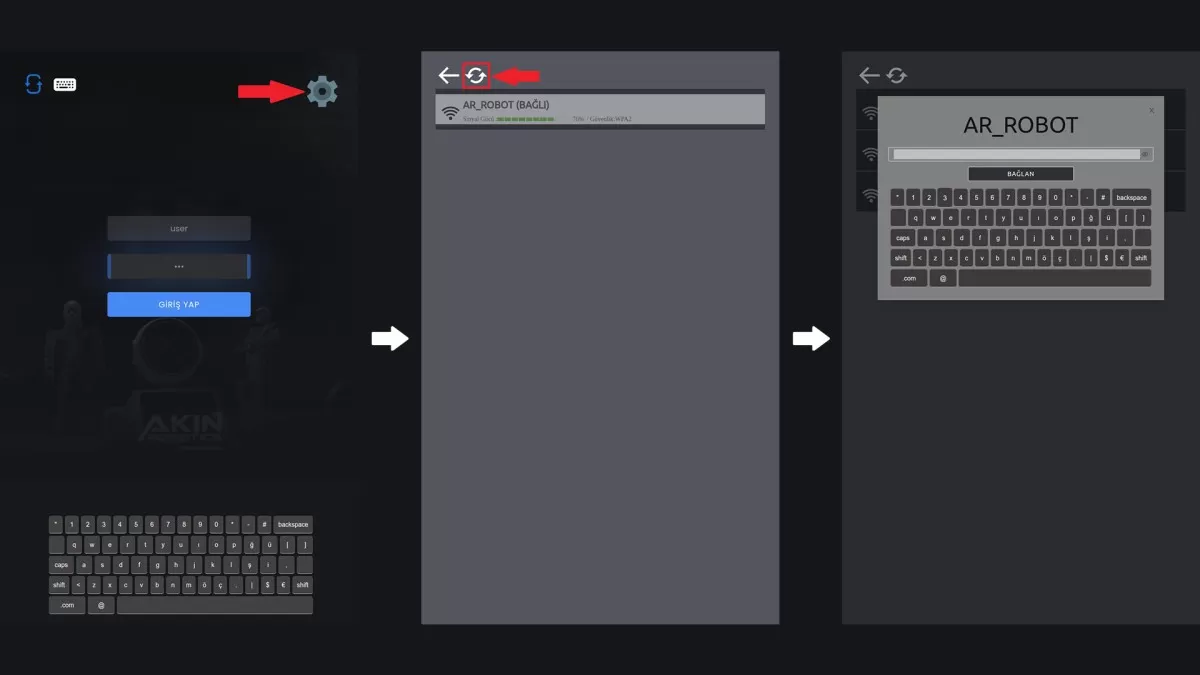
Figure 1: Network Connection Screen
After completing the robot network connection procedures, return to the homepage by pressing the back button. Write the username and password given to you by Akınrobotics in the username and password section on the homepage.
Attention: It is mandatory to set your new password in the field you login.
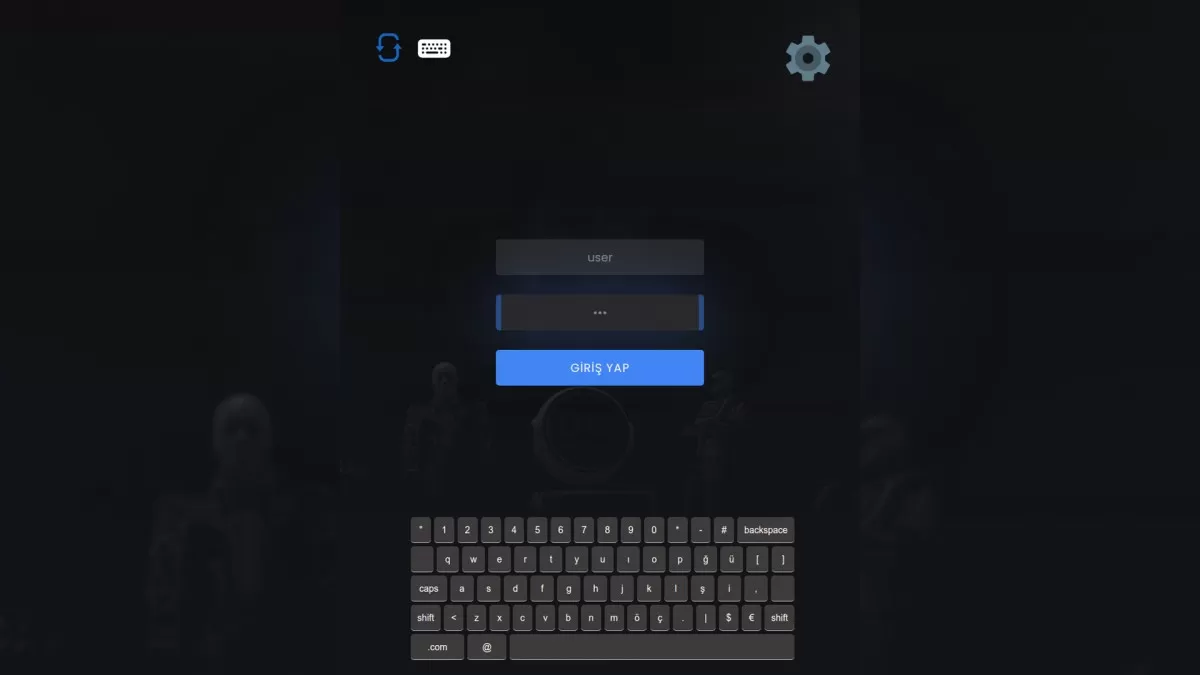
Figure 2: Installation Login Screen
Fill in all the information on the screen when installing your robot for the first time.
Attention: Since the information here is the information you will use in the next steps, please save it in your notebook.
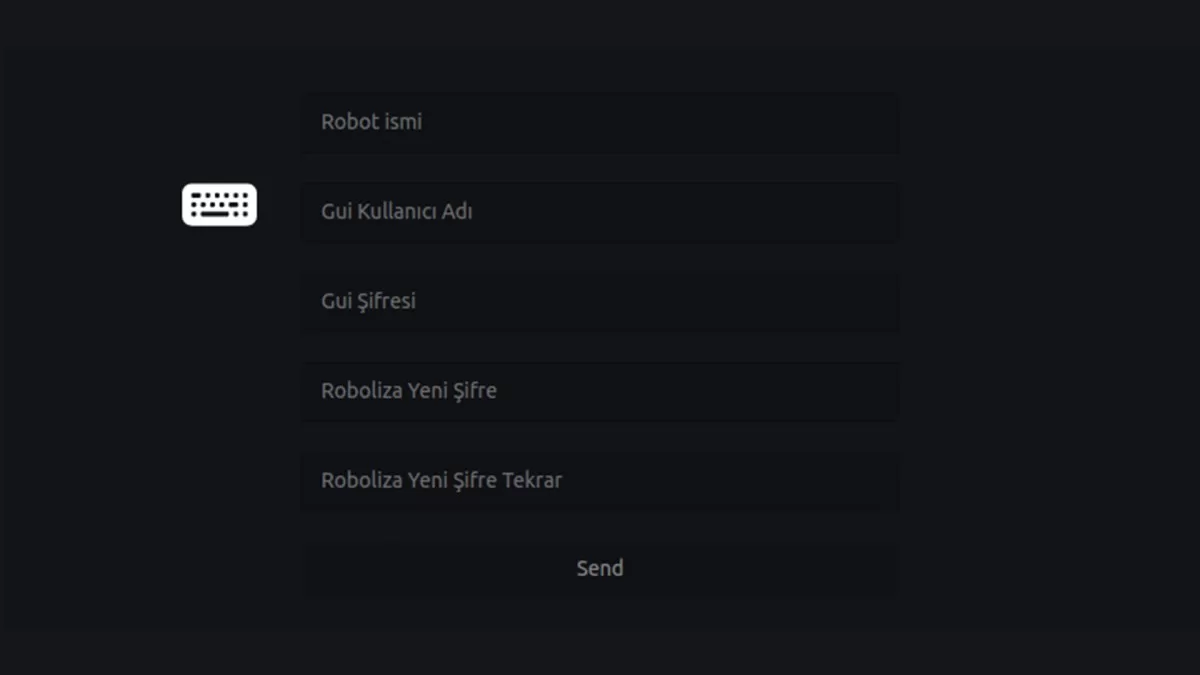
Figure 3: Information Entry Screen
2- Make a detailed review about robot updates. (See for update information.)
After completing the initial setup of your robot, make the software updates in the window that opens.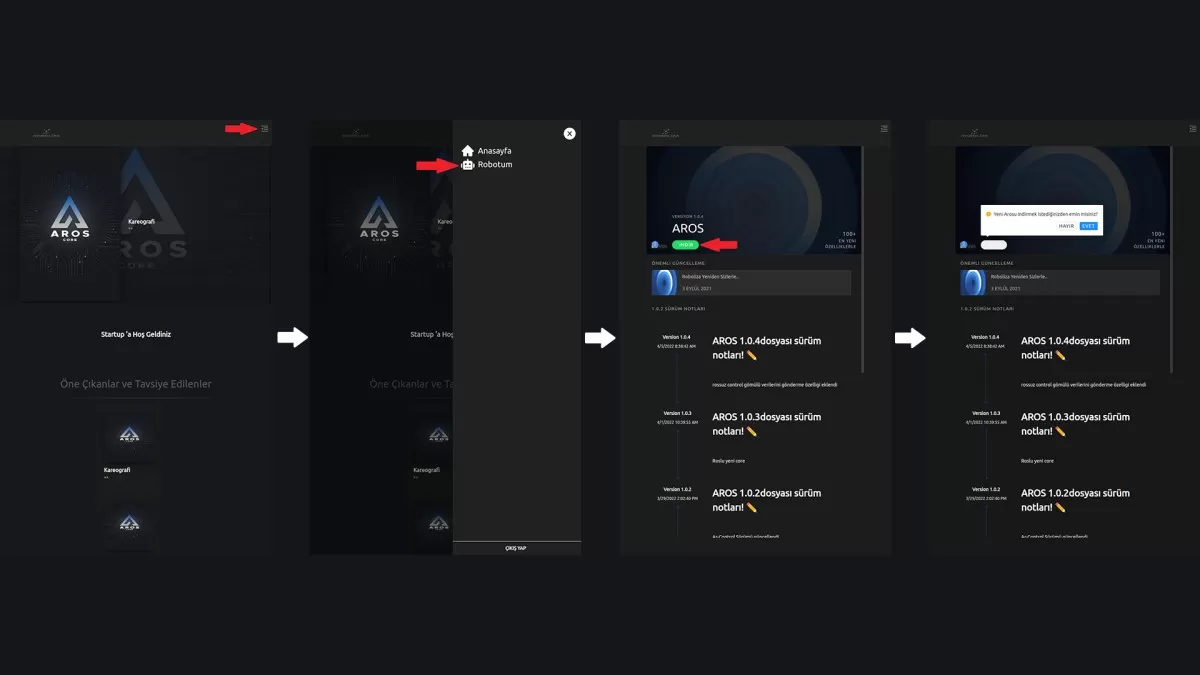
Figure 1: Update Screen
The buttons in the window that opens after the software update are respectively; Restarts the software, restarts the robot and shows the screen with the errors encountered during the update (logs).
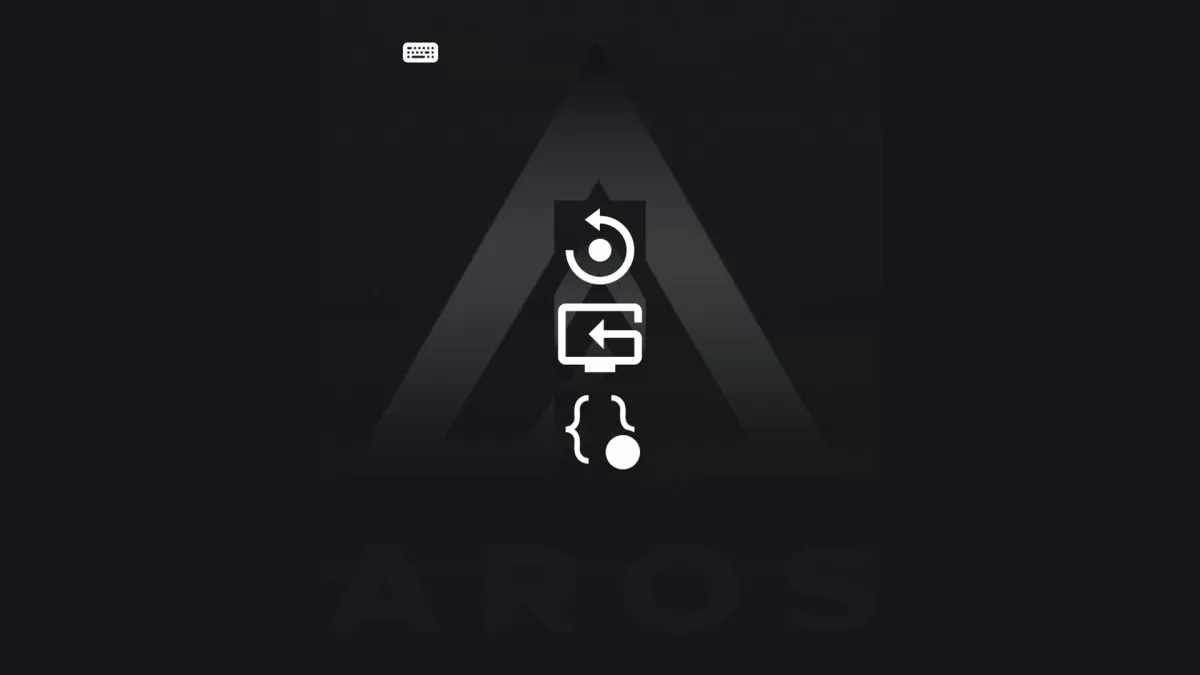
Figure 2: Reboot and Logs Screen
After the installation process is completed, restart your robot on the screen.
3- Make a detailed review for the Server PC setup information. (See for installation information.)
Before starting the installation, connect your computer and your robot to the same internet network.
Attention: Your robot and Server PC must be on the same network.
Find out the IP address of your server computer.
Info: Run the command prompt application by typing cmd in the search section of your computer. Type 'ipconfig' in the window that opens and press enter. The IPv4 Address section at the bottom of the screen is your computer's IP number.
Attention: Set the IP of your server computer as static IP.
Run the AR-Service application given to you by Akınrobotics as an administrator.
Attention: If you do not run the application as an administrator, you will not have a connection with the robot.