

1- Open Ar-GUI again and select UV-C Programming from Programming Management. (click to see connection settings)
Step-1: Start the Ar-GUI program, then click the “Connection Management > Connections” button.
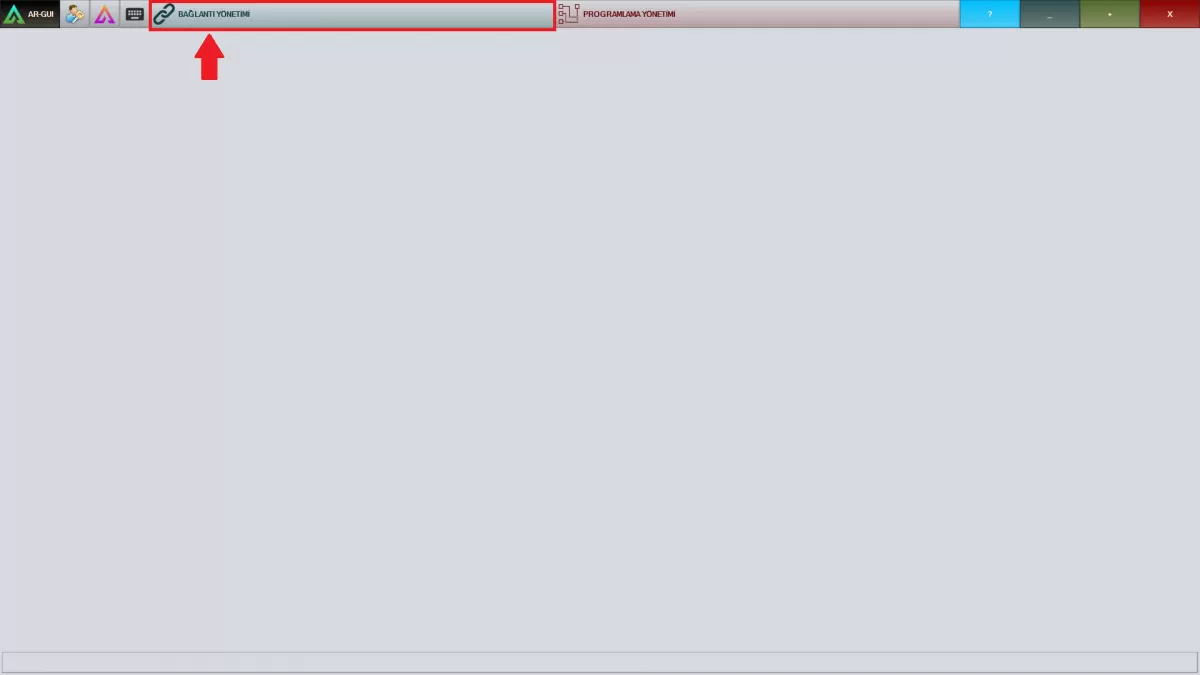
Image A-1: Connection Management Screen
WARNING! Make sure you are connected to Wifi on the same network as the robot.
Step-2: Click on the name of the robot you will connect to in the window that popped up.
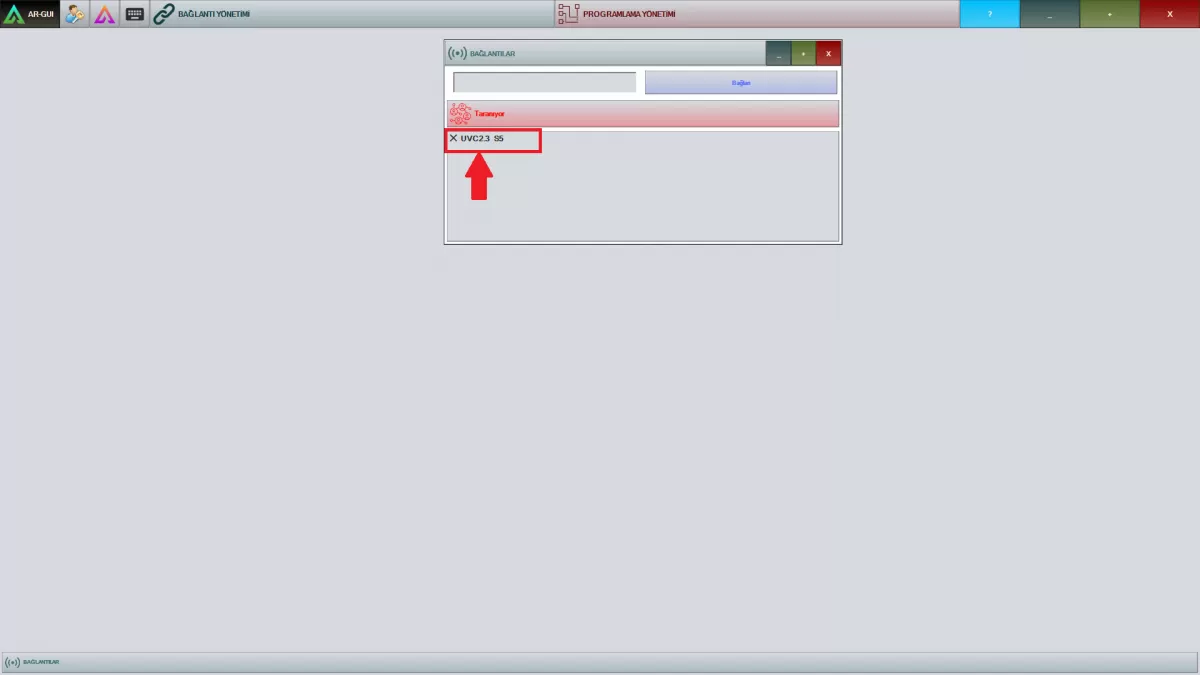
Image A-2: Connections Screen
Step-3: After entering your password given to you by AKINROBOTICS, click the "Log In" button.
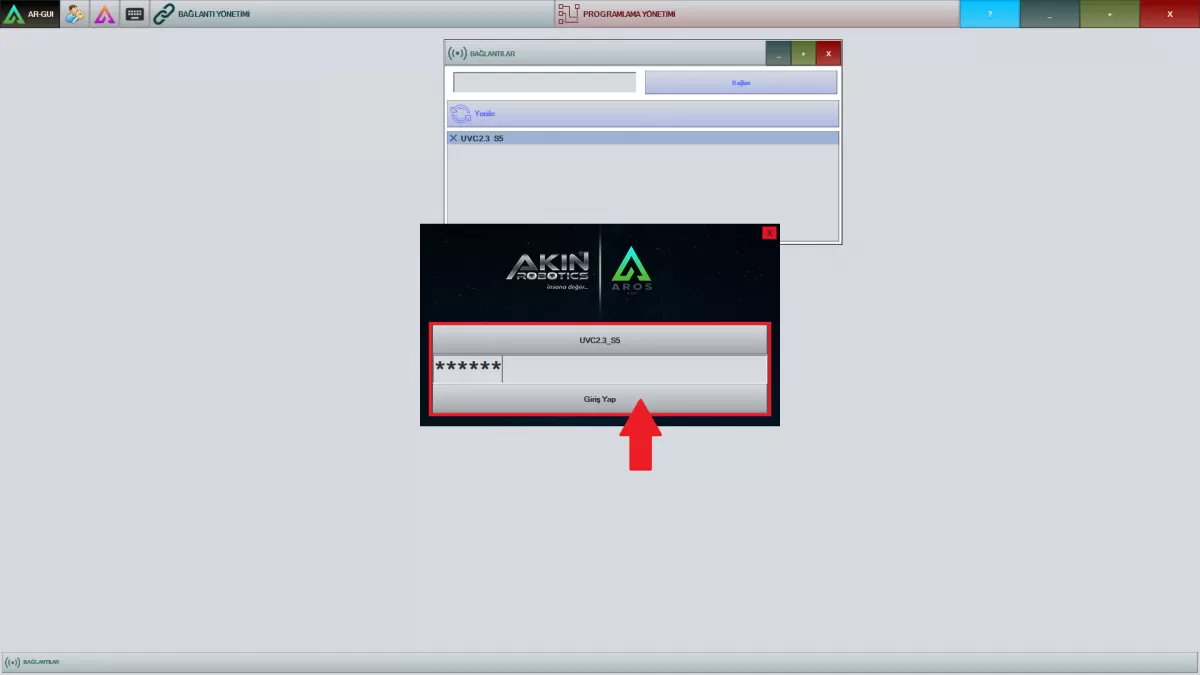
Image A-3: Connections
3- Save the task planning you created and make sure that the robot is in the starting position before starting the task.
4- Your robot is ready for sterilization with autonomous navigation.
5- Empty the field where the robot will perform the sterilization process.